On this page
Aircast Ground Station
Beta
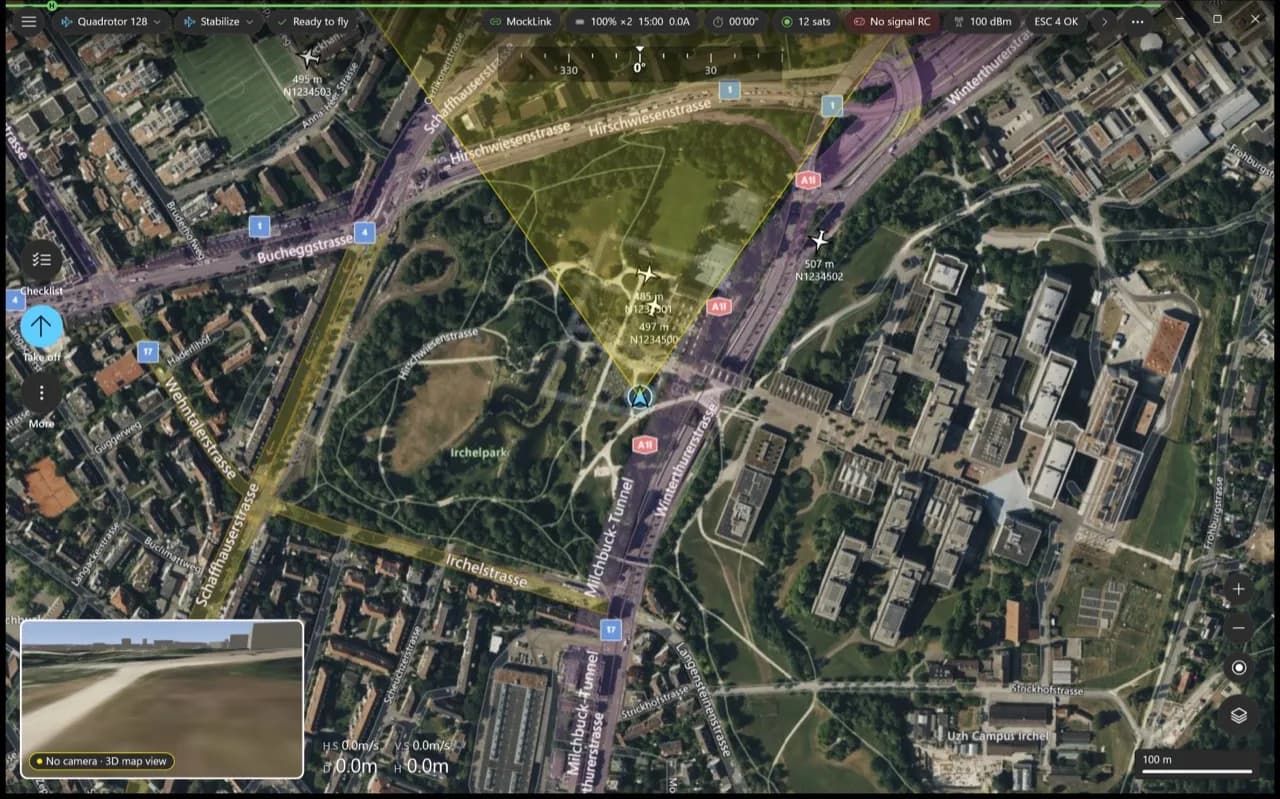
The next Aircast ground station, rebuilt as native apps for Windows, macOS and Android, plus a version that runs in the browser. Each app looks and feels at home on its platform, and all of them run the same flight core. It flies everything Aircast QGC flies, with a DJI-style Fly view on top.
This is a beta. New builds come out often and things change between them. For missions that matter, keep using the stable Aircast QGC. Found a problem? Tell us.
Download
Latest beta: v5.6.5-beta.12. Each button downloads the app directly.
Install
- Windows: run the
-setup.exe, or unzip the portable build and runAircastQGC.exe. The app isn't code-signed yet, so the first time Windows shows Windows protected your PC: click More info, then Run anyway. Windows install guide. - macOS: open the
.dmgand drag the app into Applications. If macOS says the app can't be opened, clear the quarantine flag once:Terminalxattr -dr com.apple.quarantine /Applications/AircastQGCNative.app - Android: open the
.apkon the device and allow installing from that source when Android asks. It installs next to Aircast QGC, so you can keep both. - Browser: open fly.aircast.one in Chrome or Edge on the same network as your drone, or in its Tailscale network.
What's new
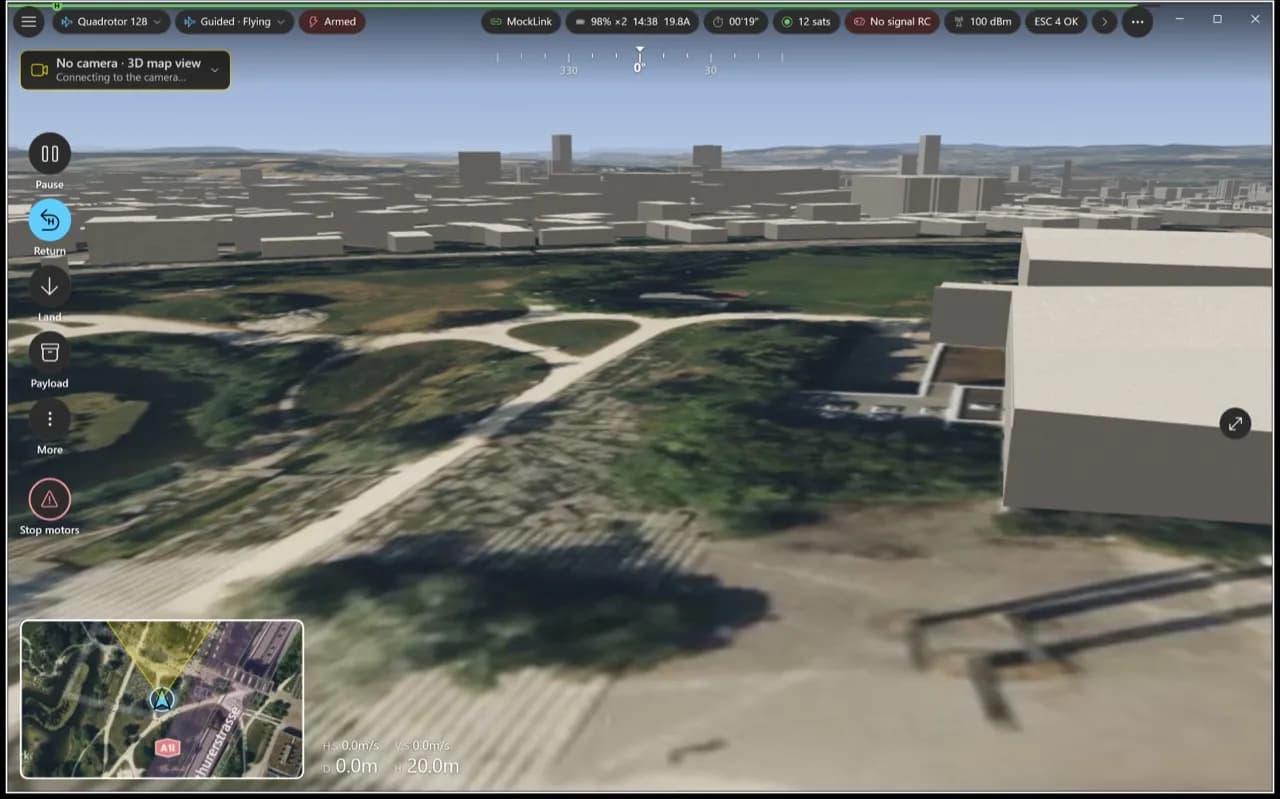
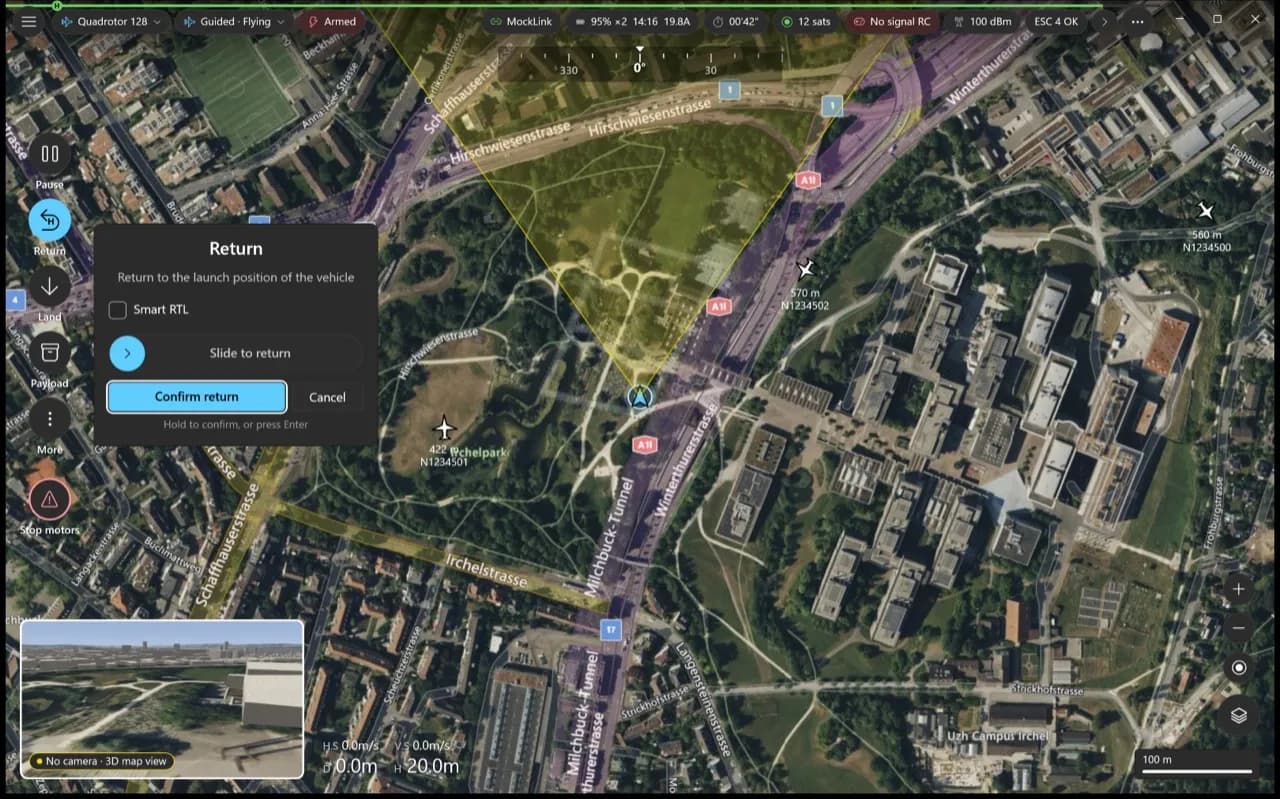
- A Fly view built for flying. Video or map fills the screen, the other sits in a corner, and Take off, Return, Land and Pause sit on a rail at the left, with the drone status along the top.
- Deliberate confirms. Actions that move the drone ask you to confirm with a slide first, so a stray tap or click never flies it.
- 3D view. The map can show the buildings around you in 3D, with your mission route drawn over them.
- Camera and gimbal. Drag or tap on the video to point the camera, or use the tilt slider next to it.
- Aircast card writer. Write Aircast to an SD card for a new drone, with its name and Wi-Fi set, from inside the app.
- Radio over USB. Fly with an EdgeTX radio plugged into the computer or tablet over USB.
- One core everywhere. Every app runs the same flight core, so a feature or a fix lands on Windows, macOS, Android and the web together.
Everything you use in Aircast QGC
- Multiple Aircast video streams, switchable or side by side
- Waypoint missions and surveys in Plan, and QGroundControl plan files
- Vehicle setup: sensor calibration, flight modes, failsafes and parameters
- Flight log download in Analyze
- ArduPilot and PX4, and several vehicles at once
Flash your Pi in about 5 minutes
The Aircast Flasher downloads the image, sets Wi-Fi and hostname, and verifies the card.
On This Page