On this page
Install Tailscale
Aircast reaches your device over a tailnet: a private WireGuard mesh that links your devices directly, no matter which network each one is on. On a cellular link the drone sits behind carrier NAT and isn't reachable from the internet; Tailscale is what puts it on your private network so the dashboard, video, and telemetry are reachable from anywhere.
What needs Tailscale
- The Aircast device: the Raspberry Pi on the drone. Connect it from the dashboard's Remote Access card (see below).
- Every viewer: the phone, tablet, or laptop you open the dashboard and video on.
- Your ground-station computer: whatever runs QGroundControl or Mission Planner for telemetry.
All of them sign in to one Tailscale account. A tailnet only links devices that are both signed in to it. Mixing accounts is the most common reason a viewer “can't reach the drone.”
Get every device on the tailnet
Put the drone on your tailnet
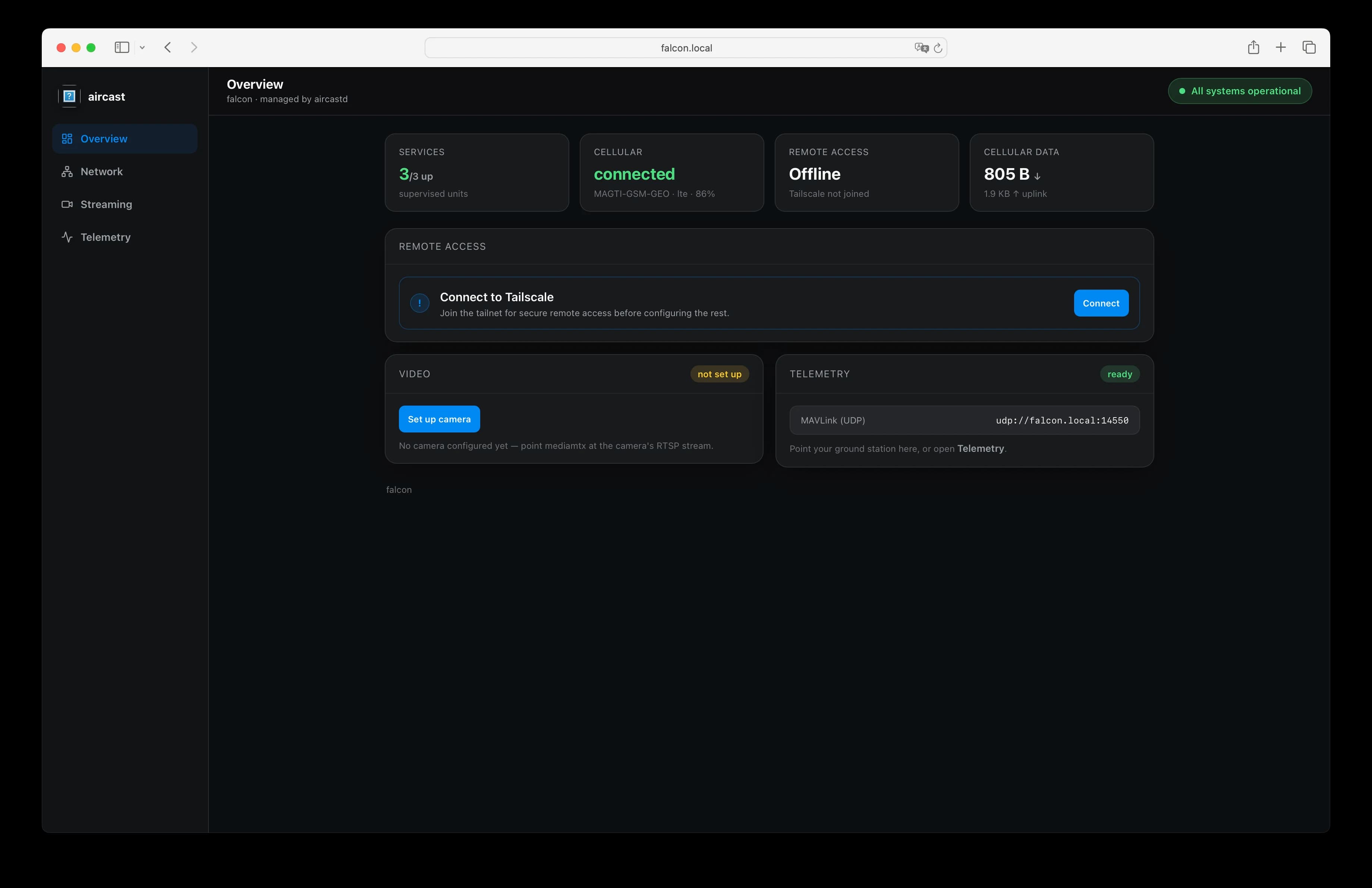
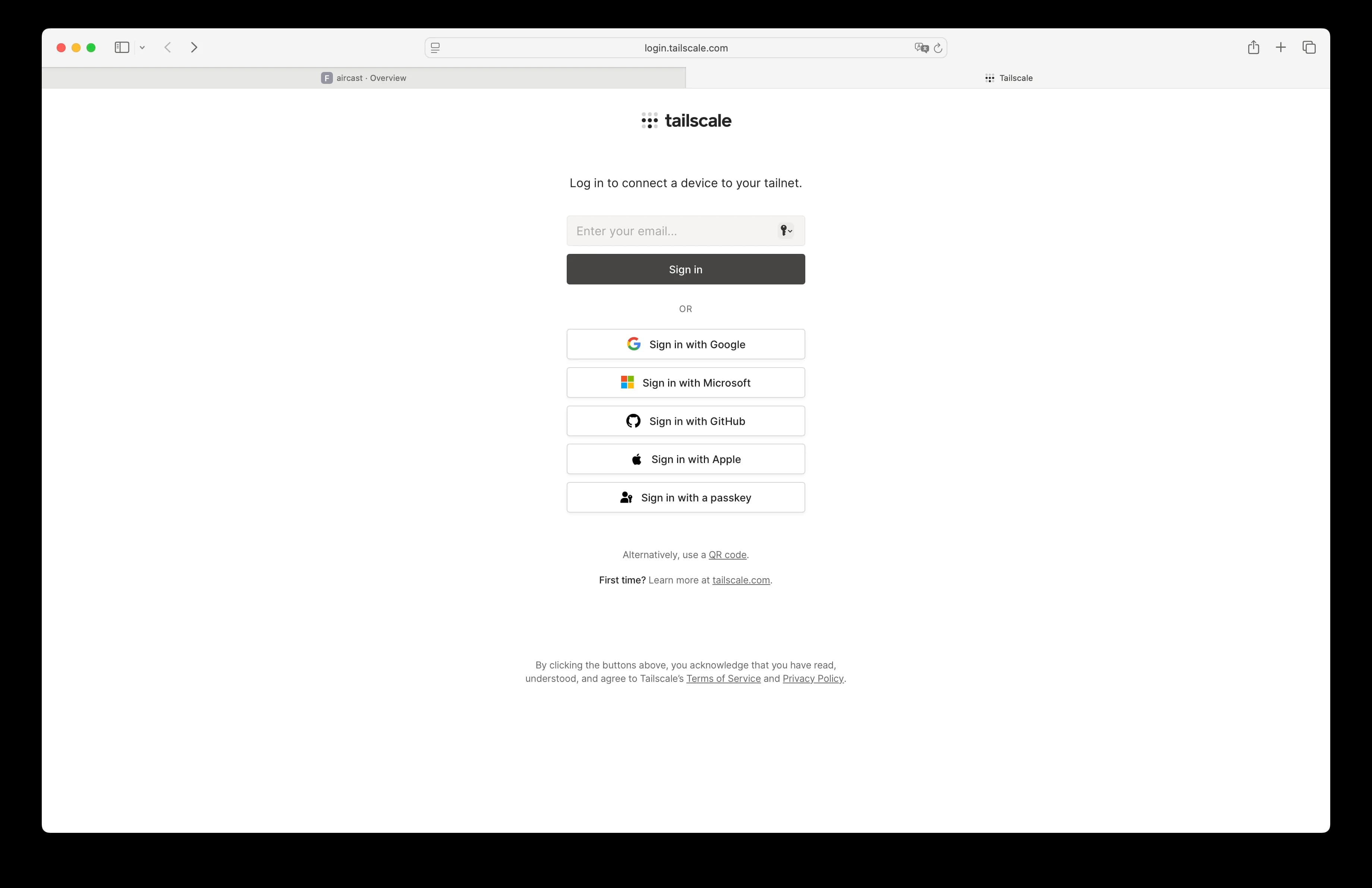
Open the dashboard on your LAN, find the Remote Access card, click Connect, and approve the device on the Tailscale login page that opens. See the Get Started guide for the full walkthrough.
Flashing a fleet? Paste a pre-auth key into the Flasher's Remote access section and devices join unattended on first boot.
Install Tailscale on every viewer
Install the app on each phone, tablet, or computer you'll watch from, and sign in with the same account you used for the drone.
iPhone & iPad
Install Tailscale from the App Store, open it, and sign in. Approve the VPN configuration when iOS asks, then flip the toggle on. The status row should read Connected.
Android
Install Tailscale from Google Play, sign in, and allow the VPN connection request. Toggle it on: the tile shows your device once it's connected.
macOS
Download it from tailscale.com/download. Sign in from the menu-bar icon and choose Connect.
Windows
Download the installer from tailscale.com/download, run it, then sign in from the system-tray icon. It connects on sign-in.
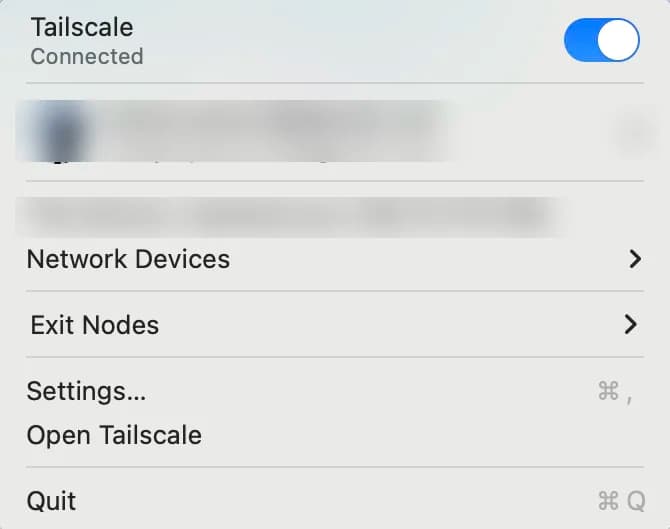
Signed in and connected, the macOS menu-bar item looks like this. Connected under the app name and the toggle switched on is what every viewer should show before you expect video.
Linux
The official installer covers every major distro:
curl -fsSL https://tailscale.com/install.sh | shThen bring it up and sign in when the browser link opens:
sudo tailscale upReach the device by its tailnet address
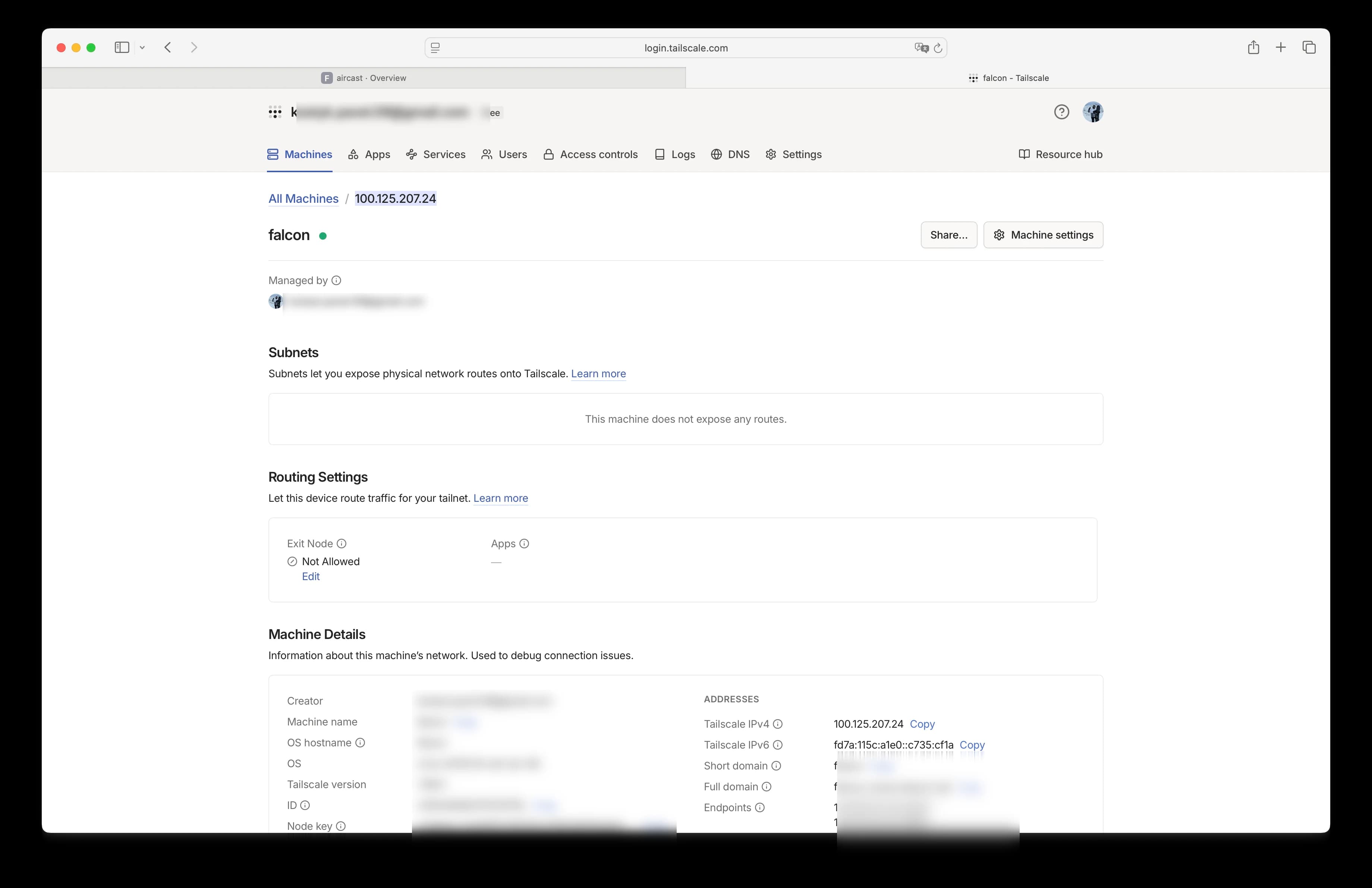
Open the Tailscale admin console → Machines → your device. Its Tailscale IPv4 (a 100.x.x.x address), or the <hostname>.<tailnet>.ts.net name, is what you use to reach the dashboard, video, and telemetry from anywhere. No port forwarding, no public IP.
Prefer to own the control plane?
You don't have to use Tailscale's hosted coordination service. Point the drone and your viewers at your own Headscale control server instead, with no Tailscale account and no third-party coordinator. See Self-Hosting with Headscale.
Flash your Pi in about 5 minutes
The Aircast Flasher downloads the image, sets Wi-Fi and hostname, and verifies the card.
On This Page