On this page
Fly with your own radio, far beyond its range
Keep the radio your hands know. Plug it into the tablet or laptop running Aircast QGC and the app sends its sticks and switches to the drone over the same Starlink or 4G link as the video. Every channel arrives on the number your receiver uses, so flight modes, switches and payload channels work without touching the flight controller.
How it works
| Piece | What it does |
|---|---|
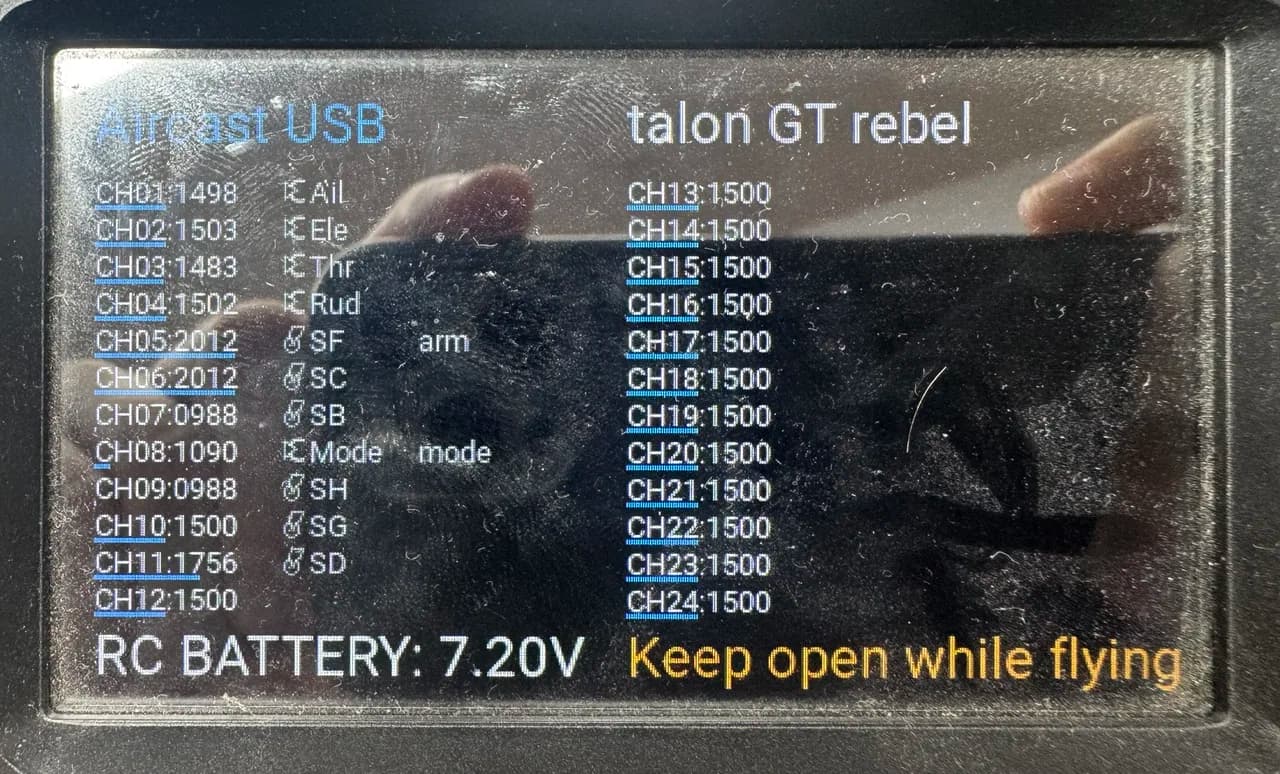
| Aircast USB radio script | Runs on the radio and streams all 24 channels over USB, about 100 times a second |
| Aircast QGC | Sends channels 1 to 18 to the flight controller as RC overrides, up to 25 times a second, on the same channel numbers |
| Flight controller | Treats them as RC input: your flight mode switch, RCx_OPTION functions and pass-through servo outputs behave as they do on the receiver |
Already streaming with r2d2-usb-vcp.lua? It uses the same format, so Aircast QGC reads it as is.
Set it up
Copy the script to the radio
Plug the radio into a computer and choose USB Storage (SD). Download aircast-usb.lua (the download button is on the right of the file view) and copy it to this folder on the radio's SD card, then eject the card:
/SCRIPTS/TOOLS/Let scripts use the USB port
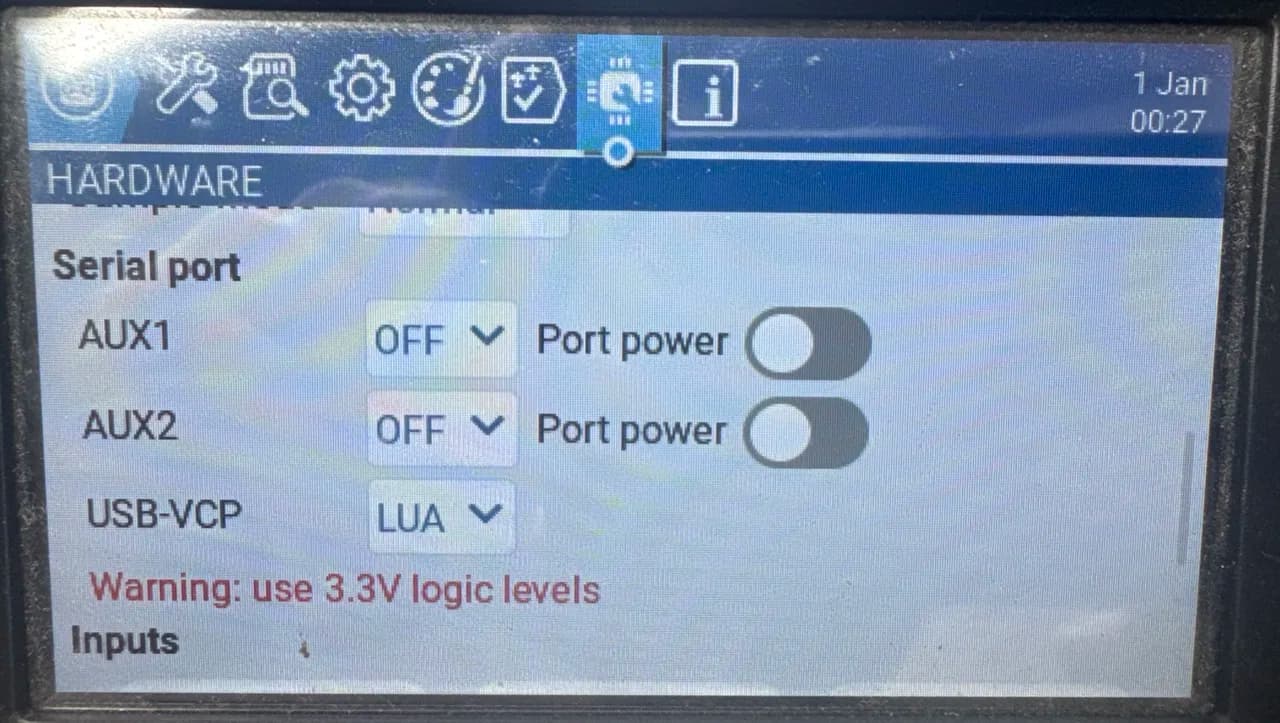
On the radio open SYS → Hardware and set the USB-VCP serial port to LUA. Without it the script runs but nothing leaves the radio.
Start streaming
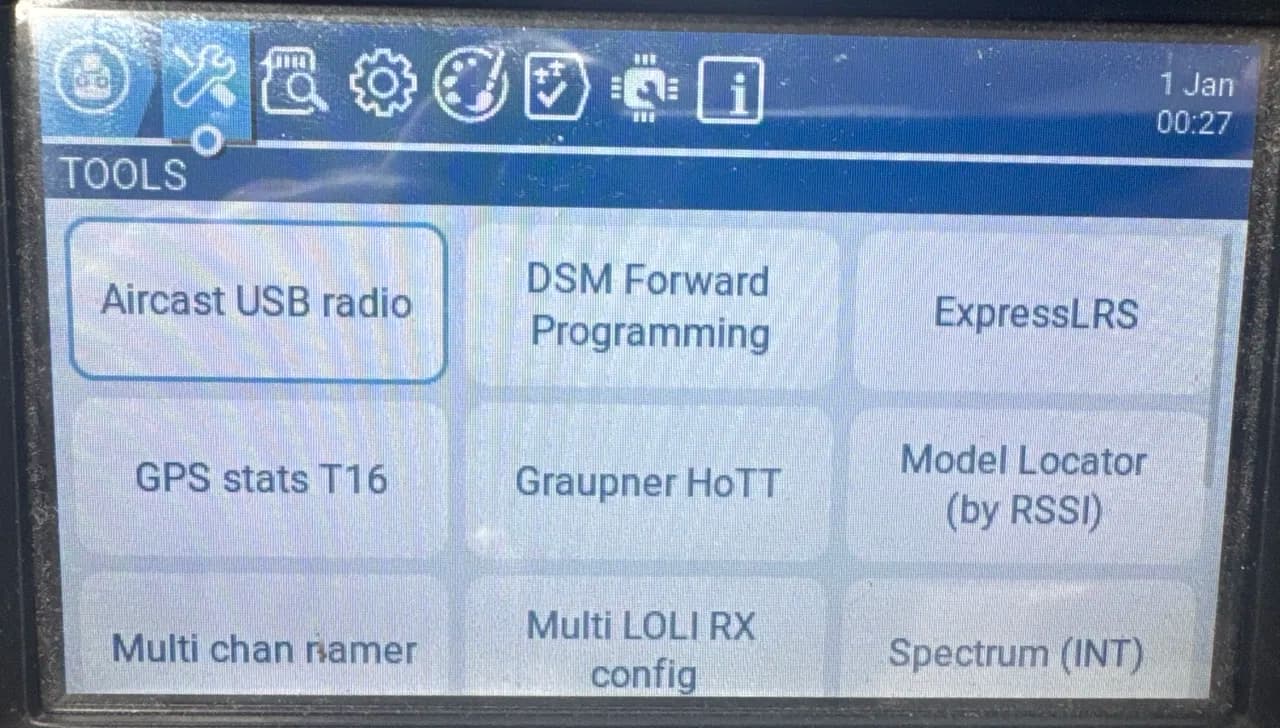
Plug the radio into the tablet or laptop and choose USB Serial (VCP). Then open SYS → Tools → Aircast USB radio. It lists every channel with its live value.
Keep that screen open while you fly. RTN closes it, and the radio stops streaming the moment it does.
Pick the radio in Aircast QGC
- Android: connect the radio with a USB-C OTG cable and allow USB access when Android asks.
- Chrome on a computer: once, open Settings → Transmission → Links, then Add link… → USB radio, press Allow a USB port, pick the radio and go back without adding the link.
Then, on that Links page, open Advanced and under Radio on USB (EdgeTX script) choose the radio as the Device. Setting it back to Off stops sending.
Check it on the ground
Propellers off. Connect to the drone, then move every stick and switch and watch the channels follow on the app's Radio setup page. Check the switch that releases a payload with nothing loaded.
Success: each channel on the drone moves with the same channel on the radio's script screen.
When something drops
| What happens | What the drone gets |
|---|---|
| The script is closed or the radio is unplugged | After half a second the app hands the RC channels back. Within range of the drone's receiver the radio flies it directly; beyond it, the flight controller's RC failsafe takes over. |
| The Starlink or 4G link drops | The last overrides expire after RC_OVERRIDE_TIME (3 s by default) and the GCS failsafe starts after FS_GCS_TIMEOUT. |
| A joystick is enabled for the same drone | The radio steps aside and the joystick flies. |
Limits
- ArduPilot reads 16 RC channels. Channels 17 and 18 are sent but ignored, and 19 to 24 are not sent. Move anything wired to a higher channel, such as a camera gimbal, to a free channel up to 16, or control the camera from Aircast.
- iPhone and iPad have no USB serial, so this needs Android or Chrome on a computer.
What's verified
- A RadioMaster TX16S on EdgeTX 2.9.4 streams all 24 channels about 100 times a second
- Aircast QGC's core reads that stream and builds the RC override for channels 1 to 18
- In ArduPilot SITL an override on a channel reaches the servo output that passes that channel through, and holds when the link drops with no receiver in range
- Not yet flown on a real drone
Flash your Pi in about 5 minutes
The Aircast Flasher downloads the image, sets Wi-Fi and hostname, and verifies the card.
On This Page