On this page
Connect a Ground Station
The dashboard's Telemetry card shows a MAVLink UDP endpoint. Add it as a comm link in your ground station and you get flight telemetry over the same cellular link as the video.
QGroundControl
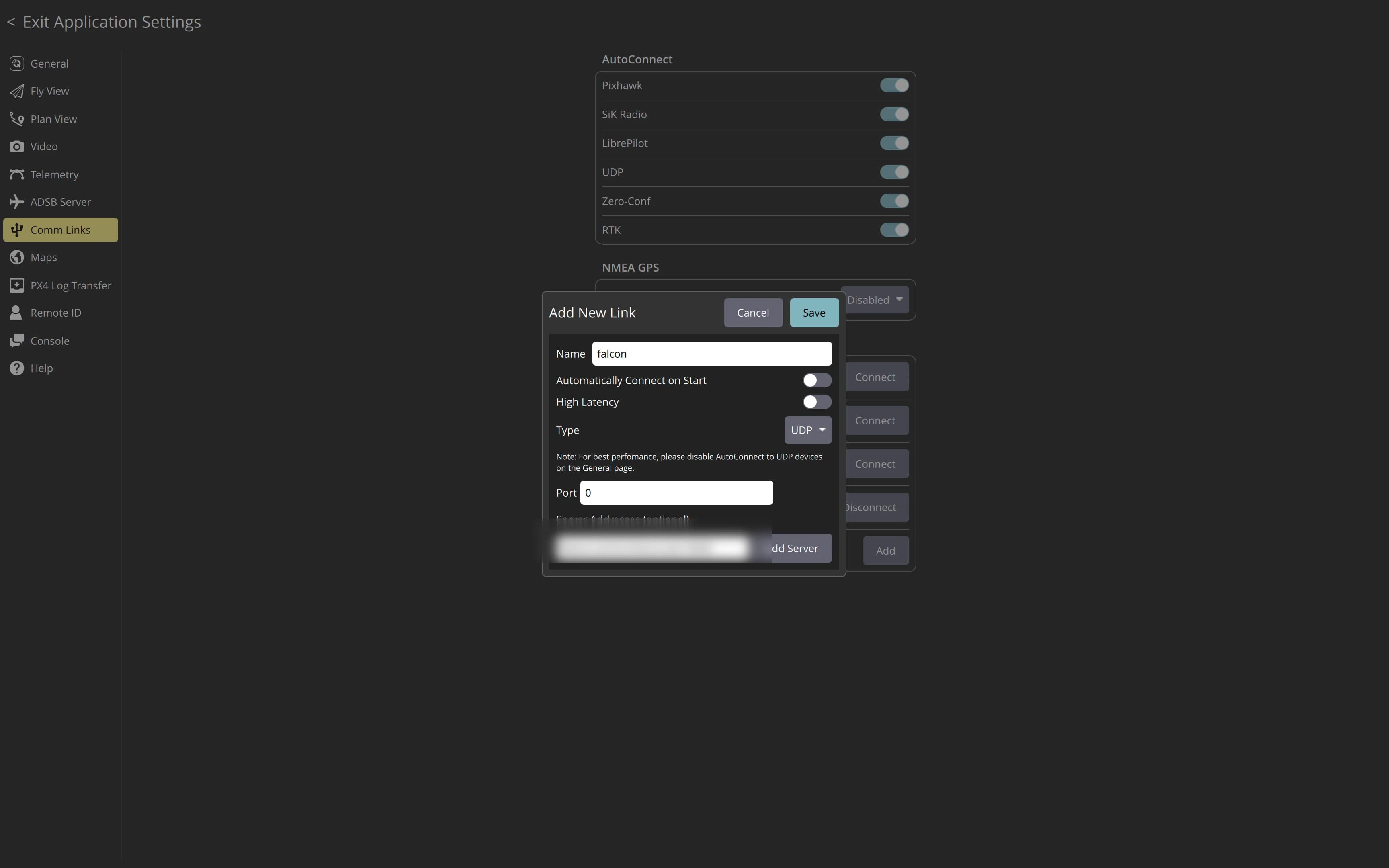
Open Application Settings → Comm Links → Add, set Type to UDP, then add the device endpoint as a server. Use the Tailscale hostname to connect from anywhere, or falcon.local:14550 on the same network (on Windows use the Pi's IP instead of .local).
For live video inside QGroundControl over cellular, use the Aircast QGroundControl build.
Mission Planner
Mission Planner works the same way. Add a UDP client connection to the same host and port (14550).
Flash your Pi in about 5 minutes
The Aircast Flasher downloads the image, sets Wi-Fi and hostname, and verifies the card.
On This Page