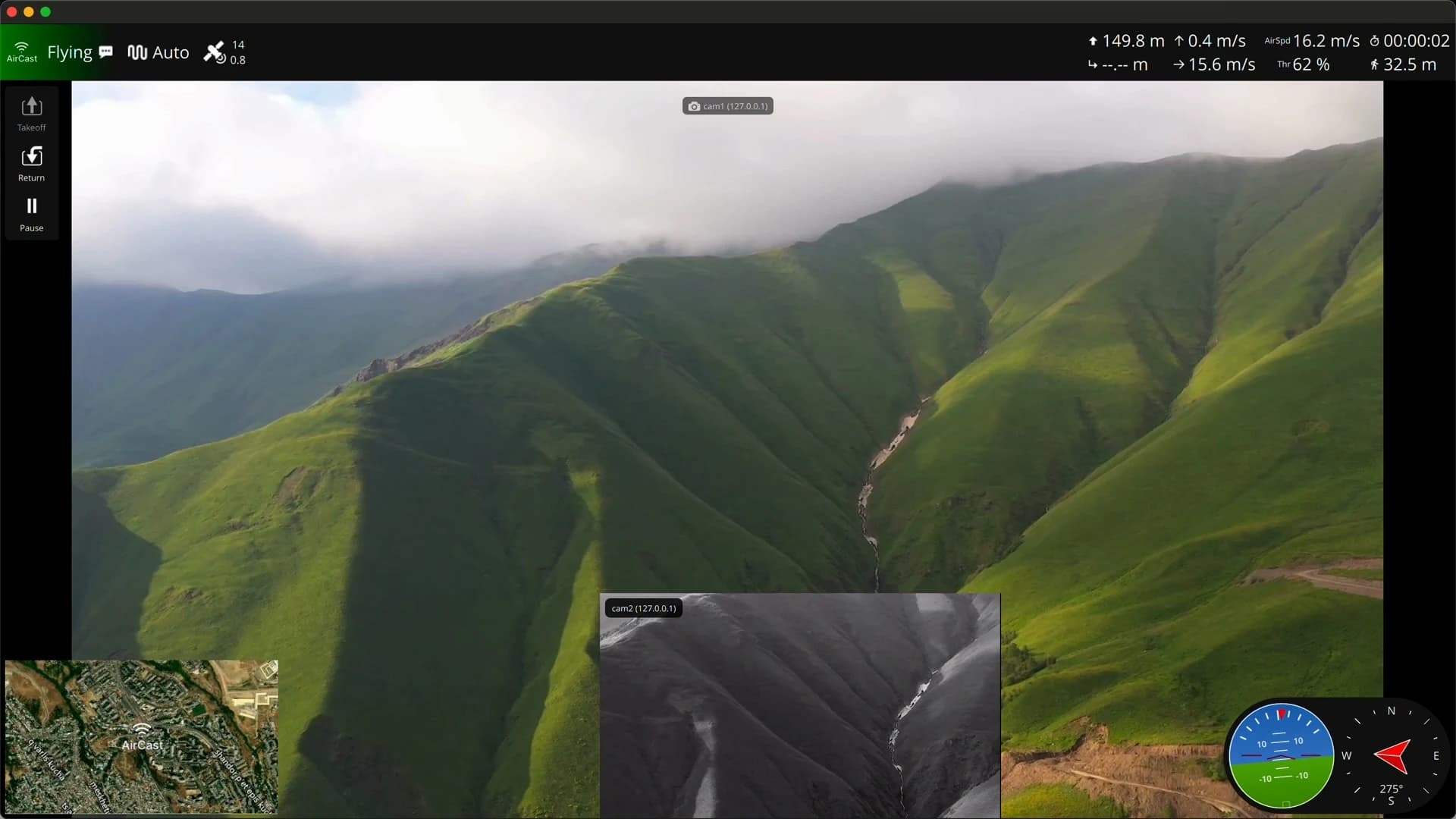
Drone video and telemetry, live over 4G or Starlink.
Radio links run out of range. Flash one SD card for a Raspberry Pi with a 4G modem and a camera, and the feed reaches your ground station from anywhere a phone gets signal.
On your phone?
Setup runs on a computer, where you write the SD card. Email yourself the link and pick it up there.
Or read the setup guide firstBuilding it in the open · what to buy · also runs on 26 Orange Pi and Radxa boards (beta)
Questions? Message me on Telegram or WhatsApp
From SD card to live video in three steps
Bring a Raspberry Pi, a 4G modem with a data SIM or a Starlink dish, and an RTSP camera: about $120–180 in parts. The rest is three steps.
Flash one SD card
The Aircast Flasher downloads the image and writes your Wi-Fi onto the card. No terminal.
Power on the Pi
On first boot it brings up the 4G modem or Starlink and joins your network.
Fly with live video
A setup wizard finds your camera and flight controller. Then point QGroundControl or Mission Planner at the device.
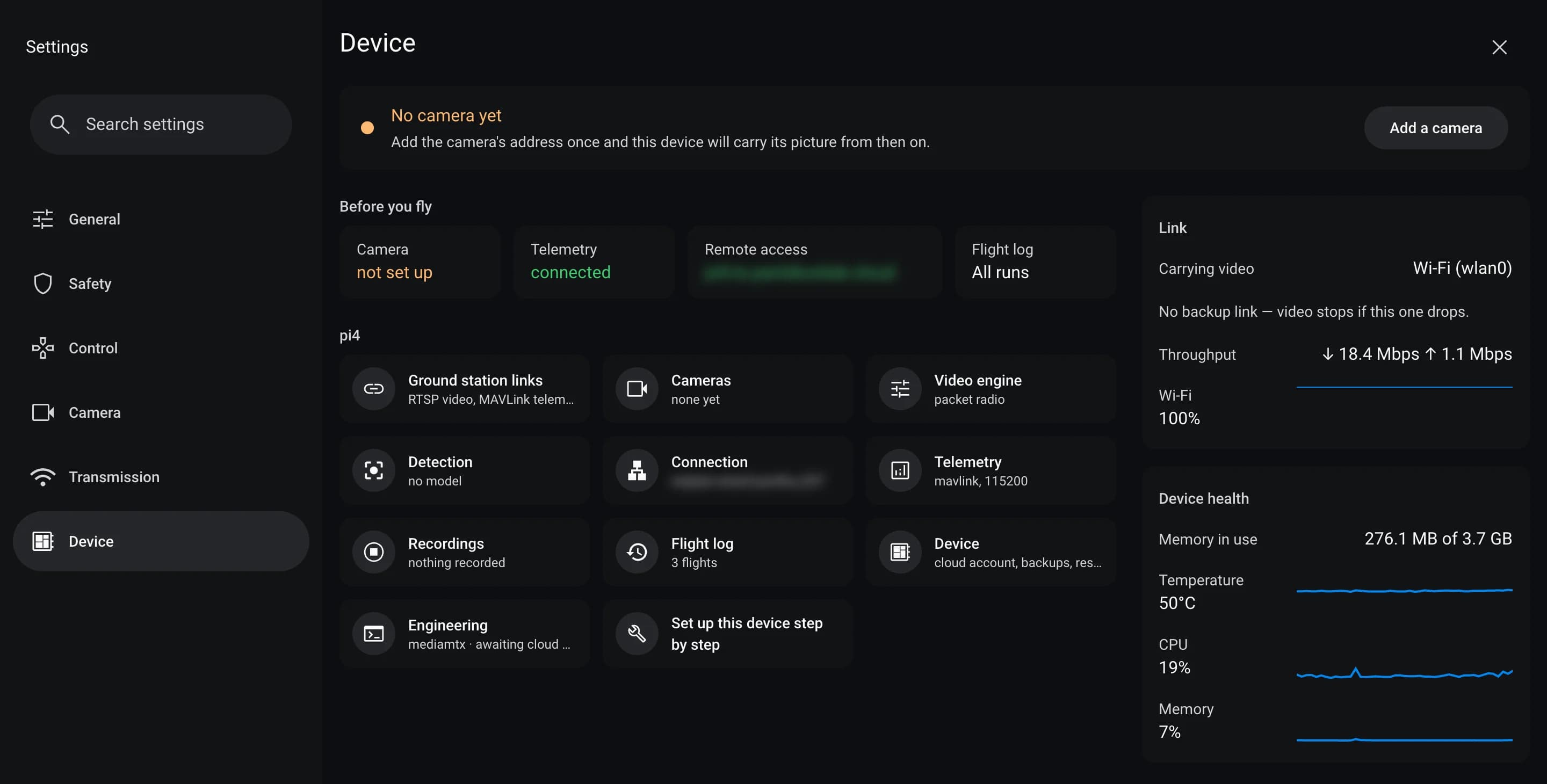
Ten minutes in, this is your device in the fly app — telemetry connected, link and health live, one tap from adding a camera.
It lists what you need, then downloads the Aircast Flasher.
Shopping first? See the recommended starter kit and the tested cameras.
See and command it past the horizon
The video and the telemetry you fly by, on a link that goes as far as the cell network does.
Range set by coverage, not radio
If your phone has signal, your drone does too. Where it doesn't, plug in a Starlink Mini. Reach the device and its streams from anywhere over your own private network.
Your ground station, as it is
~300 ms WebRTC video and MAVLink telemetry ride the same link, served straight from the device. Point QGroundControl or Mission Planner at it and share the stream link.
No Linux, no enterprise price
Write one SD card with the Aircast Flasher and a setup wizard does the rest, with no SSH or scripts. The parts cost $120–180, against $700–$5,000 for enterprise kit.
Features
Everything the device does out of the box — streaming, telemetry, and networking, managed for you.
~300 ms WebRTC Video
Watch the live drone feed in any browser over WebRTC — ~300 ms glass-to-glass, also served as HLS and RTSP.
MAVLink Auto-Routing
Finds the flight controller on USB and forwards telemetry to any UDP/TCP ground station.
Starlink & Cellular Health
Live signal, throughput, and stall detection for both your Starlink dish and cellular modem.
Networking From the Browser
Join WiFi, set a static IP, or set the cellular APN — from the dashboard, no SSH.
Data Budget Guardrails
Tracks data use on metered links and warns your GCS before you blow the cap.
Camera Setup Wizard
Checks your RTSP camera — reachability, codec, duplicates — before you go live.
Flash & Fly
One Go binary, live on first boot. No cloud account, no setup scripts.
Ultra-Low-Latency StreamingComing soon
120–180 ms glass-to-glass over an SFU, down from the ~300 ms you get today — self-hosted on your own network, or optionally in Aircast Cloud. The same private stream, fast enough to fly on.
Fly from your phone or your laptop
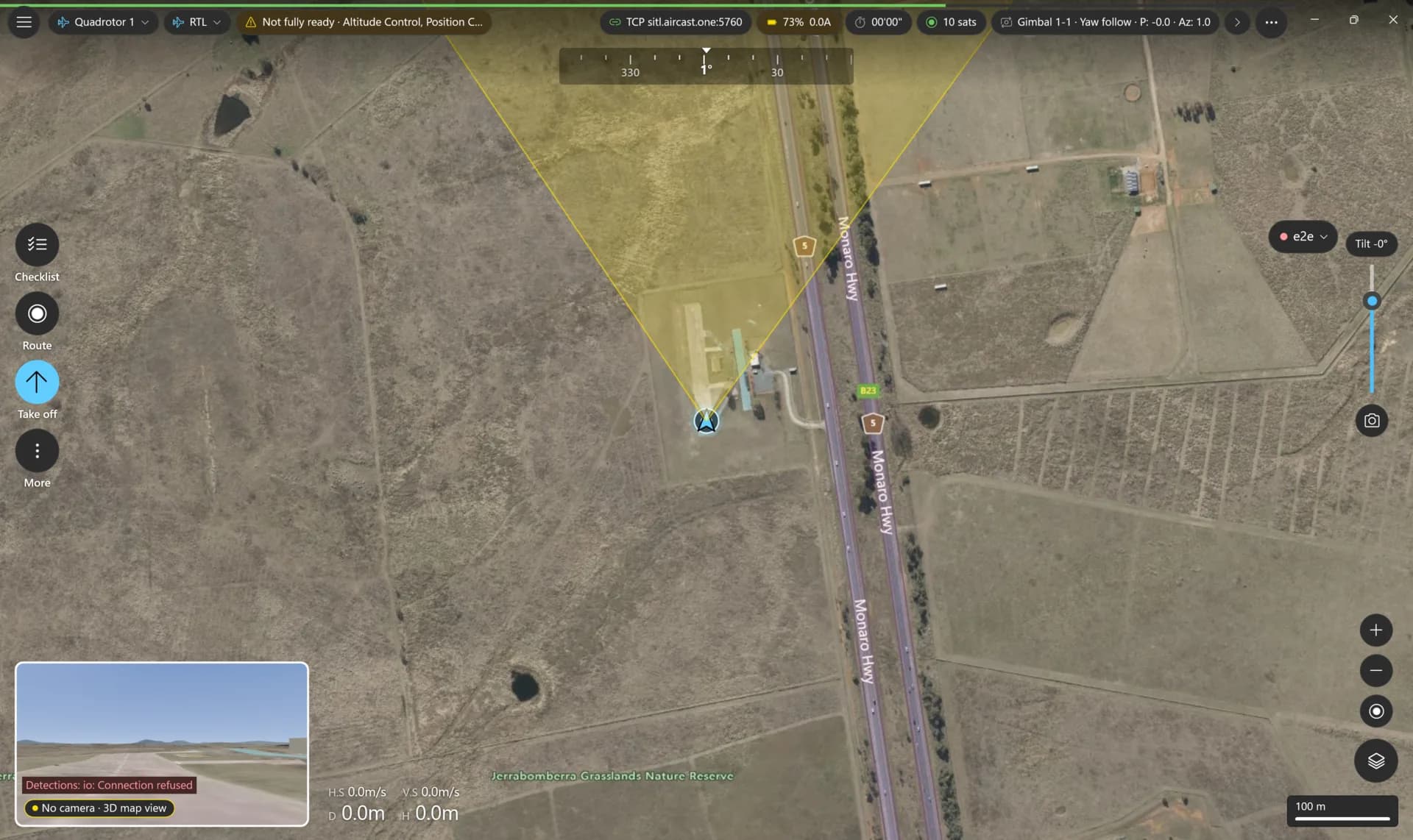
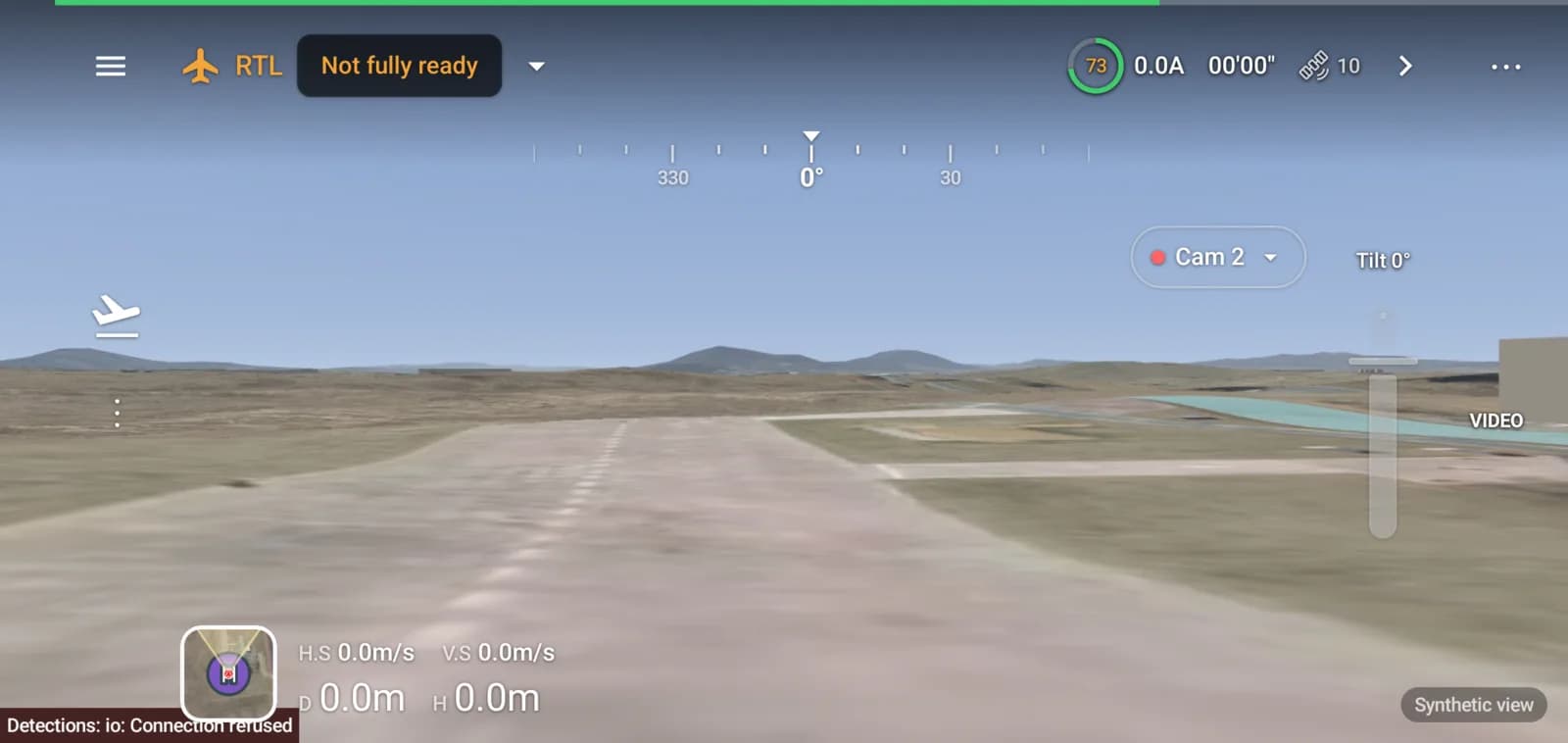
AirCast Ground Station is a native ground control app for Android, Windows, iPhone and iPad, built to be used one-handed in sunlight with the aircraft in the air. It works without an account.
- Live video beside the map, telemetry at a glance
- Waypoints, surveys, geofences and rally points
- A 3D view of terrain and buildings when the video drops
- ArduPilot and PX4, over Wi-Fi, radio, Bluetooth or Aircast Cloud
- One flight core on every platform, so a fix lands everywhere at once
It's free. You own it.
Free to use: no subscriptions, no per-seat fees, no license to renew. It runs entirely on your own hardware and network — even the VPN control plane is self-hosted (Headscale). No cloud account, no vendor, no third party who can throttle it, meter it, or switch it off. Deploy it air-gapped and it just keeps flying.
What would you fly it on?
AirCast is built for anywhere the pilot can't see the aircraft. Tap the mission closest to yours and I'll follow up about it.
Flying something else? Tell me what you're building.
Every page, built for the field
Streaming, telemetry, and connectivity — each its own page, all served from the device. Tap any screen to enlarge.
Everything in one view — flight plan, live video, and telemetry together on a standard ground station.
Streaming
The video plane, powered by MediaMTX — ~300 ms glass-to-glass WebRTC served straight from the device.
Telemetry
MAVLink over the same 4G link — point QGroundControl or Mission Planner at the endpoint.
Network
Cellular, Wi‑Fi, and a Tailscale panel — reach the device and streams from anywhere.
Measured in real flights
Not a spec sheet — numbers from AirCast running on real aircraft over live cellular networks.
Indicative figures from field testing — your results vary with hardware, modem, and coverage.
From the people flying it
Unprompted reports from pilots who put AirCast on their own aircraft.
1 hour on one battery, 60 km flown. 4G video and control system. Open source, free — the server, the VPN, all of it written in Georgia. It works perfectly, go use it.
Your stream stays yours
Encrypted in transit, self-hosted by design — your video and data never leave your own network.
Encrypted end to end
Video rides DTLS-SRTP, and everything else you reach from afar — the dashboard, its API and MAVLink telemetry — travels inside your own WireGuard network (Tailscale or Headscale). Even when the stream crosses a carrier or Starlink, the transit operator sees ciphertext — not your feed.
No cloud account
Nothing routes through our servers. No frame, route, or telemetry leaves your network, and there is no usage telemetry phoning home. The one hosted option — Aircast Cloud for the coming SFU — is opt-in, and you can self-host that too.
You hold the keys
AirCast runs entirely on your own hardware. Servers, keys, and recordings stay under your control — fully self-hosted.
Free While We're in Beta
The current version is free while AirCast is in beta, and it runs on your own Raspberry Pi, or in beta on an Orange Pi or Radxa board. You supply the hardware (~$150) and a SIM with a data plan for the cellular uplink. Pricing for future versions will be announced after the beta.
Aircast
Everything in the current version, free during the beta
- HD video streaming over 4G or Starlink
- Full telemetry & MAVLink support
- Built-in web dashboard, no account
- Runs entirely on your own device
- No subscriptions, no usage limits
- Direct founder support
No account, no credit card. You buy the Pi, modem and SIM plan once — the software stays free.
“Maybe I can just build it myself?”
You absolutely can. Here's the honest math from building this exact stack:
And the bill isn't only time. Every weekend spent on why the video freezes at 40 km is a weekend not spent on the mission you bought the drone for. Attention doesn't refill for free — it's the most expensive thing you own.
That's why the link layer isn't worth building. Flash the card, keep the hardware, own the whole stack — and spend your months on what you actually fly for.
The hardware, though, is yours to buy. The recommended starter kit lists every part with buy links, $120–180 all in, and tested cameras shows what streams out of the box.
Built by people who fly
Decades of combined experience across aviation, streaming systems, and mobile development — and direct founder support when you need it.

- —10 years building web and mobile systems across e-commerce, fintech, and SaaS.
- —Built the AirCast streaming pipeline — WebRTC video from the device over 4G and Starlink.
- —Led teams of up to 10 engineers on the architecture of complex products.
- —FPV pilot — builds and flies his own quads, so AirCast is designed by someone who actually flies.
Go · React · WebRTC · Raspberry Pi · MAVLink · Node.js

- —15+ years with UAVs — prepares and tunes airframes and hardware for testing.
- —Integrates the AirCast module across platforms: fixed-wing, VTOL, and multirotor.
- —Runs field trials of video and telemetry on real aircraft.
ArduPilot · On-board integration · Field testing · Airframe tuning
 Umbrella
We partner with the Umbrella team, who design and build custom drones for specialized applications — including BVLOS operations.
Flash it. Power on. Fly.
One SD card, ~10 minutes to the dashboard, and your drone is live over 4G or Starlink — no account, no cloud, nothing to pay us.
Want the details first? Read the docs — I personally help with setup.