On this page
SIYI ZR30
A 4K, 180x-hybrid-zoom gimbal payload that outputs RTSP natively, so Aircast streams it with no transcoding on the Pi. This is the smoothest class of camera to run: connect it over Ethernet, paste one URL, and you are live.
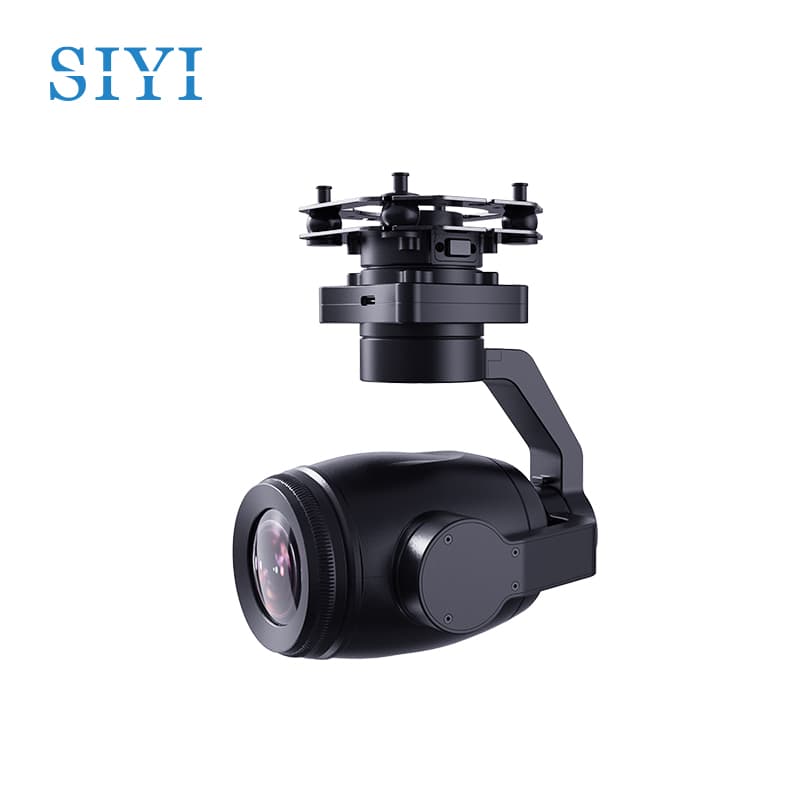
At a glance
| Sensor | 1/2.7″ Sony CMOS, 4K 8MP |
| Zoom | 30x optical, up to 180x hybrid |
| Stabilization | 3-axis mechanical gimbal |
| Low light | HDR, starlight night vision |
| Interface | Ethernet (RTSP), plus S.Bus / UART control |
| Weight | ~880g |
| Stream codec | H.264 (recommended) or H.265 |
Connect it to Aircast
Power and cable the camera
Power the ZR30 from your drone's BEC and run its Ethernet line to the Raspberry Pi (directly, or through a small switch if you have other Ethernet devices).
Put the Pi on the camera's subnet
SIYI gimbals ship with a fixed IP of 192.168.144.25. Give the Pi's wired interface a static address on the same subnet, for example 192.168.144.20:
sudo ip addr add 192.168.144.20/24 dev eth0Confirm the camera answers: ping 192.168.144.25.
Set the Camera Source in Aircast
Open the dashboard's Streaming page and paste the ZR30's RTSP URL as the Camera Source:
rtsp://192.168.144.25:8554/main.264The dashboard runs a reachability check, and when the badge turns green the camera is live. Aircast re-publishes the feed as WebRTC, HLS, and RTSP for your viewer.
Success: the Streaming page preview shows the ZR30 feed.
Recommended settings for cellular
Aircast views over WebRTC in the browser, so configure the ZR30's stream for that path. The most common mistake is leaving the camera on H.265, which many browsers will not decode over WebRTC.
| Setting | Value | Why |
|---|---|---|
| Codec | H.264 (AVC) | Universal WebRTC support; H.265 often shows a black frame |
| Resolution | 1080p | Best detail your cellular uplink can carry reliably |
| Bitrate | 2-4 Mbps | Fits a typical LTE uplink; drop to ~1.5 Mbps on weak signal |
| Frame rate | 30 fps | Smooth motion without doubling bandwidth |
What's verified
- Aircast pulls the native RTSP stream, with no transcoding on the Pi
- 1080p H.264 plays in the browser over WebRTC
- Ethernet connection to the Pi at the camera's default 192.168.144.x subnet
- Streams alongside MAVLink telemetry over the same cellular link
Flash your Pi in about 5 minutes
The Aircast Flasher downloads the image, sets Wi-Fi and hostname, and verifies the card.
On This Page