On this page
Mission Planner & other ground stations
Any MAVLink ground station flies an Aircast drone. The drone listens for telemetry on UDP port 14550 and serves each camera as an RTSP link, both over the same cellular link. Add a comm link to the drone and you have telemetry; paste the RTSP link and you have video.
Where to find the addresses
The exact addresses for your drone are in the Device tab of the app the drone serves: Settings → Device → Ground station links. Pick QGroundControl to see the RTSP link for each camera and the telemetry address, with a QR code to open them on another device and the drone's IP addresses for machines that can't look up its name. The Telemetry page shows the same telemetry address. For a drone called falcon-01 they look like:
falcon-01.local:14550
rtsp://falcon-01.local:8554/<camera name>
Use the drone's Tailscale name to connect from anywhere; with Tailscale signed in, the links already use it. Windows and Android often can't look up .local names; use the drone's IP there. See tabs named Flight, Connect and Setup instead of the Device tab? The card carries older drone software; First flight shows the one-step update.
QGroundControl
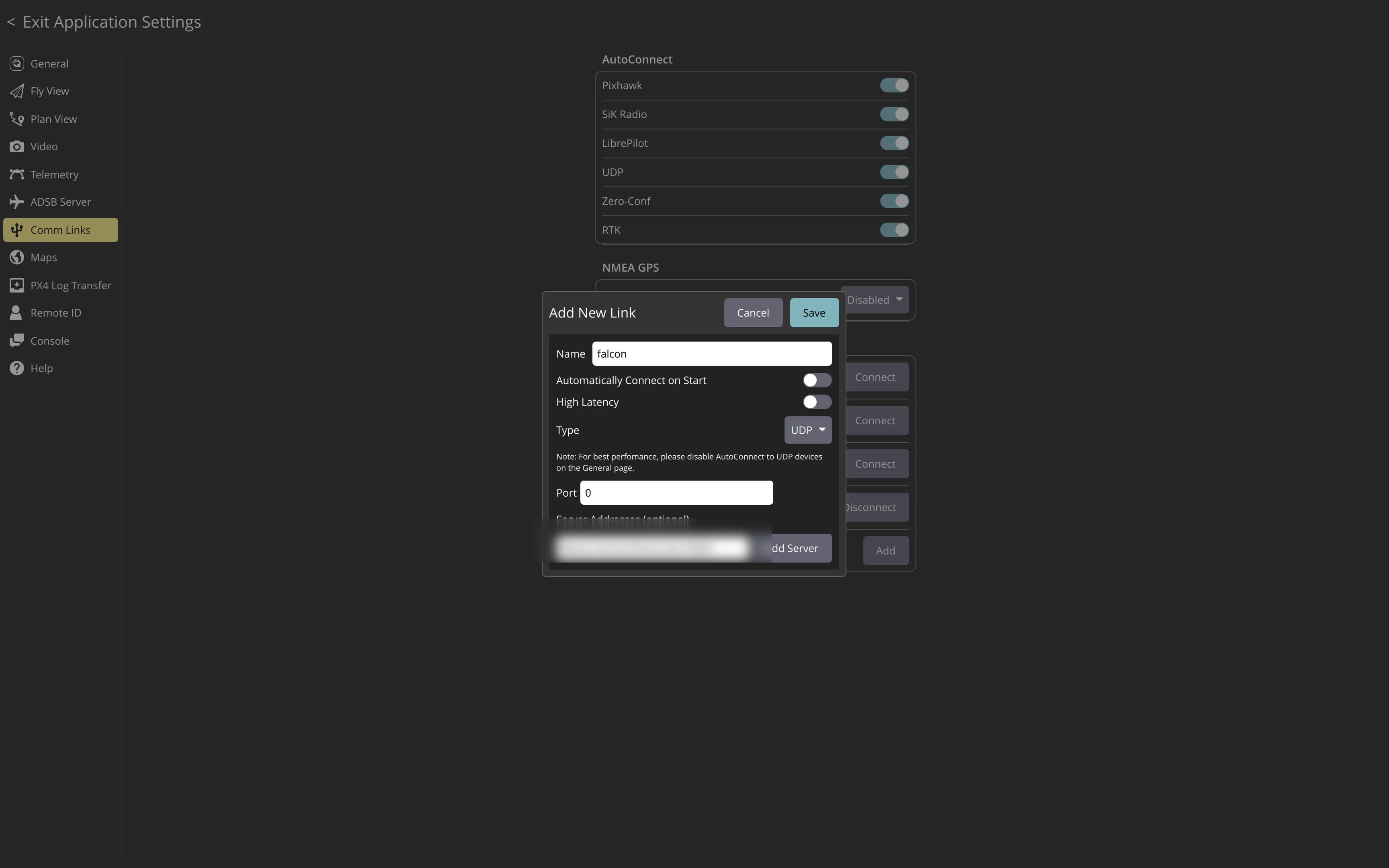
Open Application Settings → Comm Links → Add, set Type to UDP, then add the drone's telemetry address as a server, such as falcon-01.local:14550.
For video, open Application Settings → Video, set the source to RTSP Video Stream and paste the camera's RTSP link. VLC plays the same link.
Aircast QGC skips the video step: once telemetry arrives, the drone announces its cameras and Camera 1 sets itself up.
Mission Planner
Mission Planner works the same way, over the same UDP address:
- In the connection-type dropdown at the top right of the window, select UDPCl (UDP client) instead of a COM port.
- Click Connect. Mission Planner prompts for a host and port: enter the drone's Tailscale name (or
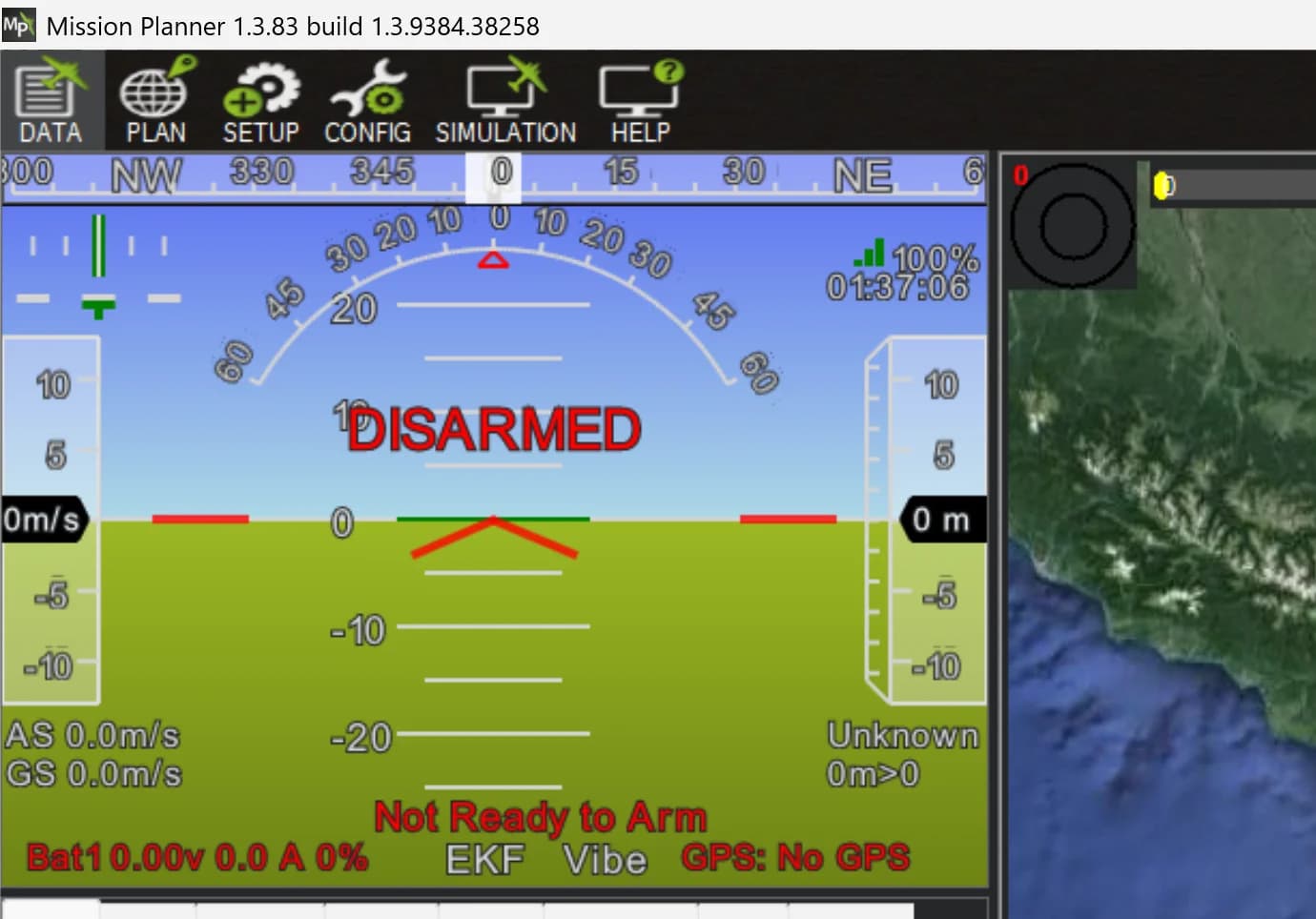
falcon-01.local/ its IP on the same network) and 14550, then press OK. - Mission Planner dials out to the drone, and the link-quality indicator in the top right starts ticking as soon as heartbeats arrive, no further setup. Once a flight controller is armed and flying, the full HUD follows: heading, attitude, GPS fix, battery and flight mode.
When the ground station can't reach the drone
Listening on UDP 14550 is the usual choice, but the drone can also push telemetry out. On the Telemetry page, under MAVLink settings, press + Add endpoint and pick a Connection type: UDP · send to your ground station's address, UDP · broadcast to every host on the subnet, TCP · listen on port 5760, or TCP · connect out to a server. With UDP send-to, set the ground station to listen on 14550 instead of dialling out.
Flash your card in about 5 minutes
The Aircast Flasher downloads the image, sets Wi-Fi and hostname, and verifies the card.
On This Page