Best Cameras for Drone Video Streaming (2026)
How to pick a camera for low-latency drone streaming over cellular: native-RTSP gimbal cameras and turning a Pi, USB, or thermal camera into an RTSP source for AirCast.
The “best” camera for drone streaming isn't the one with the most megapixels. It's the one that gives AirCast a clean, low-latency video feed your hardware can actually carry. This guide cuts through the spec sheets: how AirCast ingests video, the four things that actually matter for a streaming camera, and exactly which cameras to buy (or how to make the one you already own work).
First, understand how AirCast gets your video
Before comparing cameras, you need one fact that changes every buying decision: AirCast pulls from an RTSP source. On the device, MediaMTX connects to a Camera Source, an RTSP URL you set in the dashboard, and re-publishes that feed as WebRTC (for sub-second viewing in the browser), HLS, or RTSP for your viewer. You can see this in the Aircast streaming guide: paste the RTSP URL, a reachability check confirms the camera is live, and you're streaming.
This means cameras fall into exactly two groups:
- Cameras that already speak RTSP: drone gimbal payloads like the SIYI A8 mini. Plug the URL into AirCast and you're done.
- Everything else. Raspberry Pi camera modules, USB webcams, HDMI capture and thermal cores, which you expose as a local RTSP endpoint (a one-line command, shown below) and then point AirCast at.
So the real question isn't “which camera is compatible?”, since almost anything can be. It's “which camera gives the best feed for the least weight, power, and hassle?”
The 4 things that actually matter
1. Codec: output H.264, not H.265
This is the single most common mistake. AirCast delivers video to browsers over WebRTC, and WebRTC support for H.265/HEVC is still spotty across browsers, while H.264 works everywhere. Many cameras default to H.265 to save bandwidth. If your stream connects but shows a black or frozen frame in the browser, the codec is the first thing to check. Set the camera's stream profile to H.264 (AVC) and the problem usually disappears.
2. Rolling shutter vs global shutter
Drones vibrate. A rolling-shutter sensor reads the image line by line, so vibration and fast pans produce the wobbly “jello” effect that makes footage look amateur and harder to interpret. A global-shutter sensor captures the whole frame at once and eliminates it. If your airframe is buzzy or you do fast yaw/inspection work, global shutter is worth the resolution trade-off.
3. Bitrate over cellular, not resolution
On a 4G/LTE uplink your ceiling is upload bandwidth, not the sensor. A razor-sharp 4K feed is useless if it stutters. Target the bitrate to your link, then pick a resolution that looks good at that bitrate. Realistic targets:
| Uplink quality | Resolution / fps | Bitrate | Data / hour |
|---|---|---|---|
| Strong LTE / 5G | 1080p 30 | 4-6 Mbps | ~1.8-2.7 GB |
| Typical LTE | 720p 30 | 2-3 Mbps | ~0.9-1.4 GB |
| Weak / congested | 480p 30 | 0.8-1.5 Mbps | ~0.4-0.7 GB |
A camera that can output 720p at a controlled bitrate beats a 4K camera you have to throttle. For the full picture on tuning the link, see streaming drone video over 4G/LTE.
4. Weight and power budget
Every gram on the gimbal is a gram off your flight time and payload margin. A 95g gimbal camera and a 600g gimbal camera are very different aircraft. Decide your weight budget before you fall in love with a spec sheet.
Quick picks
| If you want… | Buy | Why |
|---|---|---|
| Best all-round, plug-and-play | SIYI A8 mini | Native RTSP + 3-axis gimbal, ~95g, 4K sensor |
| Long-range zoom / inspection | SIYI ZR10 / ZR30 | Optical zoom + stabilization, native RTSP |
| Lightest possible build | Pi Camera Module 3 | ~4g, $25, expose as RTSP |
| No jello on a buzzy airframe | Pi Global Shutter Camera | Global shutter, C/CS lenses |
1. Gimbal / payload cameras (native RTSP, best experience)
Purpose-built drone payloads are the smoothest path: stabilized, weather-resistant, and they output H.264 over RTSP with no extra software. You paste the URL into AirCast and stream. For most operators, this is the right answer.
SIYI gimbals connect to the Pi over Ethernet and expose their stream at a fixed address. On a stock A8 mini or ZR10 the camera sits at 192.168.144.25, so the value you drop into AirCast's Camera Source is simply:
rtsp://192.168.144.25:8554/main.264Set the Pi's wired interface to the same 192.168.144.x subnet, confirm the reachability badge goes green, and you're live, with no transcoding and no GStreamer.
SIYI A8 mini, the best all-rounder
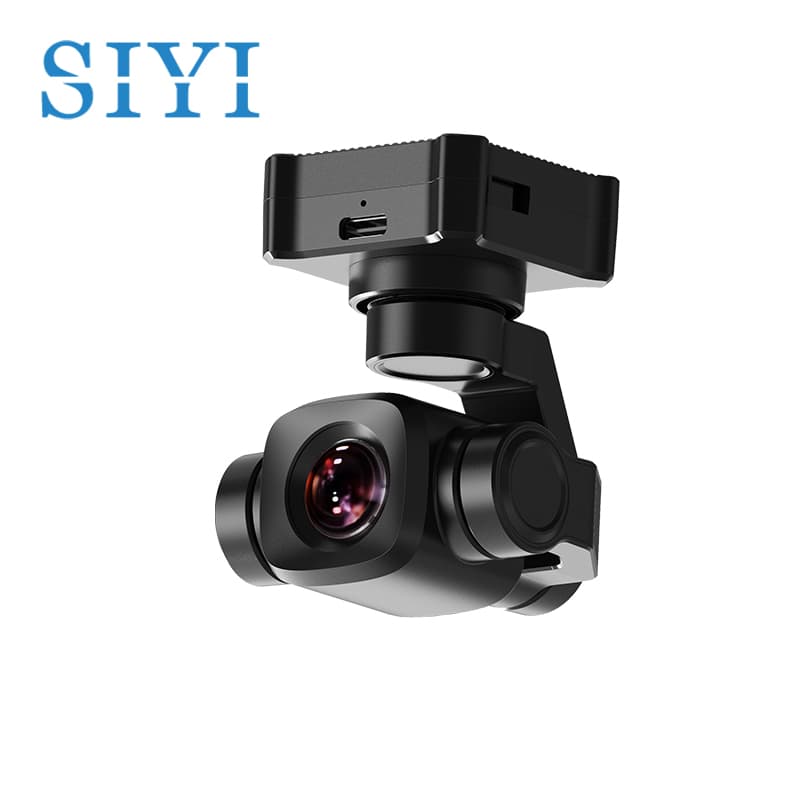
SIYI A8 mini
4K sensor · 1080p RTSP · 3-axis gimbal · ~95g
- Resolution: 4K sensor, streams 1080p H.264
- Stabilization: 3-axis mechanical gimbal
- Weight: ~95g
- Price: ~$500
- Best for: Most builds, the sweet spot of quality, weight, and price
SIYI ZR10 and ZR30, for zoom and inspection
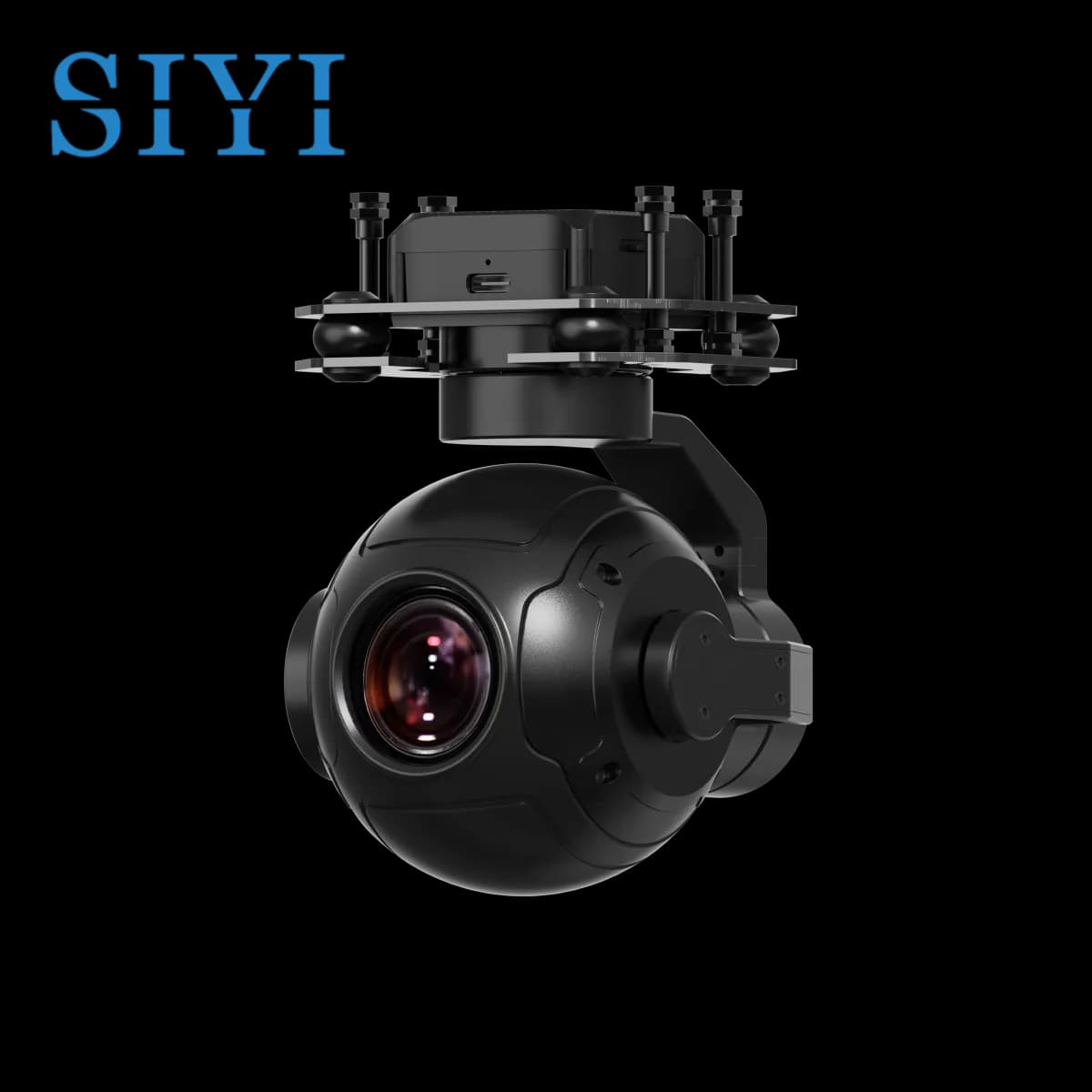
SIYI ZR10
2K sensor · 1080p RTSP · 30x hybrid zoom · 3-axis gimbal
- Resolution: 1080p (ZR10) / 4K (ZR30)
- Features: 10x-30x optical zoom, hybrid zoom, gimbal stabilization, night modes
- Weight: ~370g (ZR10), ~880g (ZR30)
- Price: ~$700-1,500
- Best for: Powerline/tower inspection, search & rescue, surveillance, anywhere you need to read detail from a safe standoff distance
Why gimbal payloads win
- Native RTSP, native H.264, so zero extra software on the Pi
- Lowest latency, because the camera encodes, so the Pi never transcodes (no encode delay, no CPU heat)
- Mechanical stabilization (no jello, usable footage)
- Built for flight: vibration-damped, weather-resistant
- Zoom and thermal variants available
The trade-offs
- Most expensive option
- Zoom models are heavy (370-880g)
- Overkill for hobby or proof-of-concept builds
2. Raspberry Pi camera modules (lightest builds)
CSI camera modules are tiny, cheap, and draw almost no power, which suits weight-critical airframes. They don't speak RTSP on their own, so you publish them to a local RTSP endpoint that AirCast then pulls from.
- Camera Module 3 (IMX708): ~$25, ~4g, autofocus, 1080p50. The default choice.
- Global Shutter Camera (IMX296): ~$50, C/CS-mount lenses, global shutter, so no jello on buzzy frames. Lower resolution (1.6MP) but rock-steady.
- HQ Camera (IMX477): ~$50 + lens, 12MP, interchangeable lenses for the best Pi-native image quality.
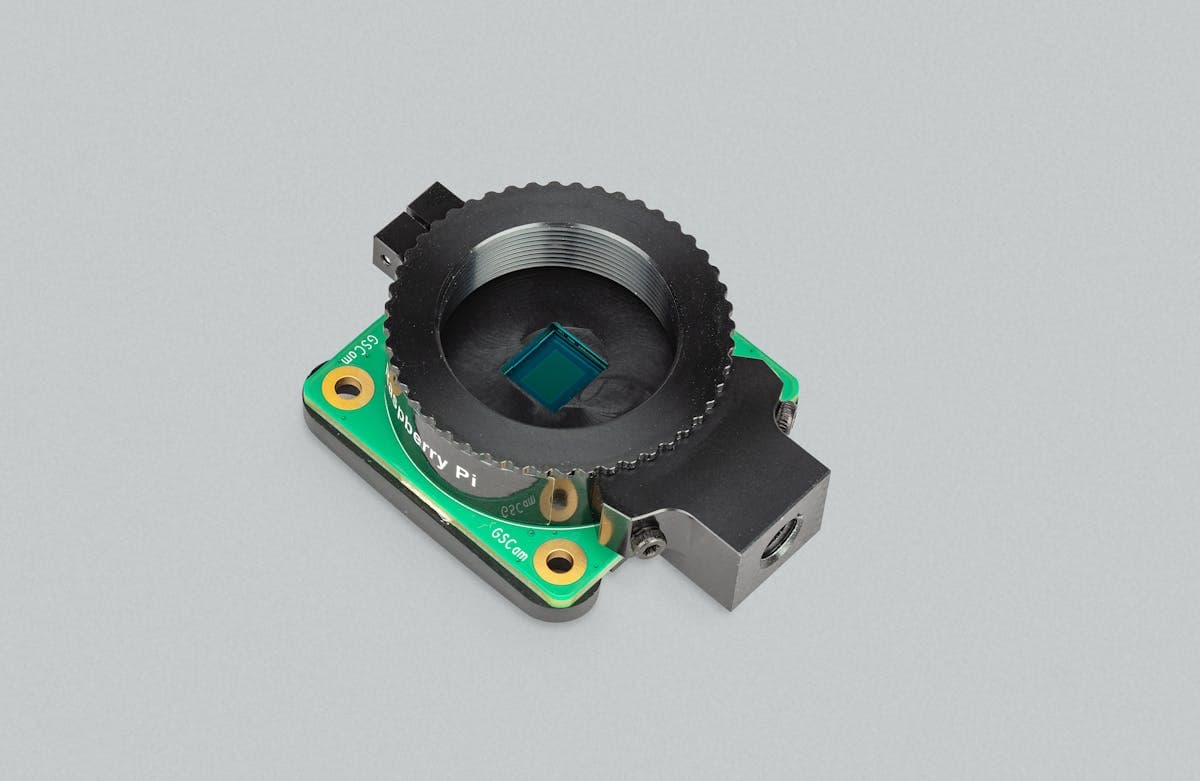
Pi Global Shutter Camera
IMX296 · global shutter · C/CS mount · ~$50
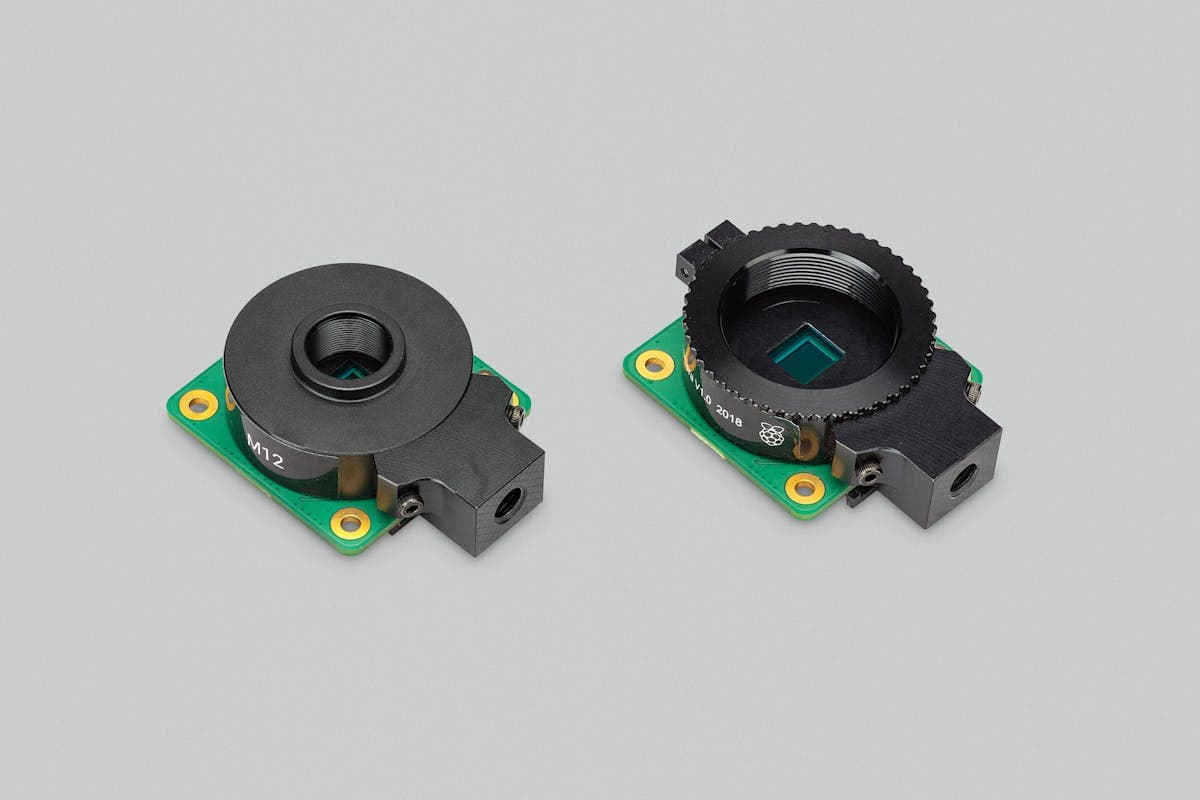
Pi HQ Camera
IMX477 · 12MP · interchangeable lenses · ~$50
To expose a Pi camera as RTSP, encode it to H.264 and push it to the device's RTSP server, then set that URL as your AirCast Camera Source:
# Pi Camera (CSI) -> H.264 -> local RTSP
rpicam-vid -t 0 --inline --width 1280 --height 720 \
  --framerate 30 --codec h264 -o - | \
  ffmpeg -re -i - -c:v copy -f rtsp rtsp://localhost:8554/cam

# Then set Camera Source in AirCast to:
#   rtsp://localhost:8554/cam
Strengths
- Extremely light (4-30g) and cheap ($25-50)
- Direct CSI connection, very low power
- Global-shutter option solves the jello problem
The trade-offs
- One extra command/service to run on the Pi
- No mechanical stabilization; fixed lens (except HQ/GS)
3. USB webcams & HDMI capture (use what you have)
A USB webcam or an HDMI capture stick (to tap an action cam or mirrorless camera) is a fast way to prototype. Like Pi cameras, you transcode to H.264 and publish to local RTSP. USB webcams often output MJPEG, so you re-encode on the Pi:
# USB webcam (/dev/video0) -> H.264 -> local RTSP
ffmpeg -f v4l2 -input_format mjpeg -video_size 1280x720 -framerate 30 \
  -i /dev/video0 \
  -c:v libx264 -preset ultrafast -tune zerolatency -pix_fmt yuv420p \
  -b:v 3M -f rtsp rtsp://localhost:8554/cam
Strengths
- Cheap ($30-150), plug-and-play hardware
- HDMI capture unlocks action cams and mirrorless bodies
The trade-offs
- Software H.264 encoding burns Pi CPU (watch thermals)
- Bulky, unstabilized, not built for vibration
4. Thermal & specialized cameras (GStreamer to RTSP)
Thermal cores, multispectral sensors, and other specialized inputs usually come with an SDK or a raw V4L2 device. GStreamer is the most flexible bridge: capture, encode, and publish straight to RTSP:
# Thermal / V4L2 source -> H.264 -> local RTSP via GStreamer
gst-launch-1.0 v4l2src device=/dev/video0 ! \
  video/x-raw,width=640,height=512 ! \
  videoconvert ! x264enc tune=zerolatency bitrate=2000 ! \
  rtspclientsink location=rtsp://localhost:8554/cam
The same approach handles multi-camera stitching, hardware encoders, and on-frame overlays, anything you can build into a pipeline becomes an RTSP source AirCast can stream.
Side-by-side comparison
| Feature | Gimbal payload | Pi module | USB / HDMI |
|---|---|---|---|
| Image quality | Excellent | Good | Good |
| Stabilization | Mechanical | None | None |
| RTSP native? | Yes | Expose locally | Expose locally |
| Latency / CPU | Lowest, no transcode | +encode on Pi | +encode on Pi |
| Weight | 95-880g | 4-30g | 150-200g |
| Price | $500-1,500 | $25-50 | $30-150 |
| Setup effort | Paste URL | One command | One command |
| Best for | Professional ops | Light drones | Prototyping |
Which should you choose?
Choose a gimbal payload (SIYI A8 mini / ZR-series) if
- You need stabilized, professional-looking footage
- Your airframe can carry 95-880g
- You want plug-and-play RTSP with no Pi-side encoding
- You need zoom or thermal for inspection / SAR
Choose a Pi camera module if
- Weight is critical, as on light quads and long-endurance builds
- You want the cheapest possible feed
- You need global shutter (GS Camera) to kill jello
- You're comfortable running one extra command on the Pi
Choose USB / HDMI capture if
- You're prototyping or testing on the bench
- You want to stream an existing action cam or mirrorless body
- Budget is the only constraint
Our recommendations
Best overall: SIYI A8 mini
For most operators this is the camera to buy. Native RTSP H.264, a real 3-axis gimbal, and a 4K sensor in a ~95g package, and it streams beautifully through AirCast with zero extra software and won't break your payload budget.
Best value: Raspberry Pi Camera Module 3
At ~$25 and ~4g, with autofocus and a clean 1080p feed, it's the cheapest way to get a real stream flying. You run one encode command on the Pi to publish it as RTSP, a fair trade for the price and weight.
Best lightweight: Pi Global Shutter Camera
On a buzzy or fast-yaw airframe, global shutter is the difference between usable footage and a wobbling mess. At ~$50 with interchangeable C/CS lenses and a few grams of weight, it solves a problem most expensive cameras don't.
Conclusion
There's no single best camera, only the best camera for your weight budget, your link, and your mission. Because AirCast streams any RTSP source, you're never locked in: start with whatever you have, confirm the workflow, and upgrade the optics later. Just remember the four rules: H.264 over H.265, watch for rolling-shutter jello, tune bitrate to your uplink, and respect your weight budget: and almost any camera becomes a great streaming camera.
Ready to point AirCast at a camera? Follow the Aircast streaming guide to set your Camera Source and get a live WebRTC feed in minutes.